
Anúncios
Turn Your Smartphone into a Universal Remote Control

Download Now
Gone are the days when you needed a separate remote control for every device in your home. Your smartphone, which you already carry everywhere, can now seamlessly replace multiple remotes, streamlining your entertainment experience and making your living space more organized. 📱
Whether you want to control your TV, air conditioner, sound system, or even smart home devices, there’s likely an app that can transform your phone into a fully functional remote control. This technology has revolutionized how we interact with our electronic devices, offering convenience, customization, and consolidation all in one pocket-sized package.
Anúncios
How Smartphone Remote Control Apps Actually Work 🔧
Understanding the technology behind these apps helps you choose the right solution for your needs. Most remote control apps utilize one of two primary technologies: infrared (IR) blasters or Wi-Fi connectivity.
Infrared technology mimics traditional remote controls by emitting invisible light signals that devices recognize as commands. If your smartphone has an IR blaster built-in—common in certain Samsung, Xiaomi, and Huawei models—you can control virtually any IR-compatible device without additional hardware. The app simply converts your touch commands into the appropriate IR signals.
Anúncios
Wi-Fi-based apps, on the other hand, connect to smart devices through your home network. This method doesn’t require an IR blaster but does need your devices to be smart-enabled or connected through a Wi-Fi hub. The advantage here is range—you’re not limited to line-of-sight control and can operate devices from anywhere in your home or even remotely.
Bluetooth and Third-Party Hardware Solutions
Some apps leverage Bluetooth technology for device control, particularly useful for audio equipment and certain smart home gadgets. Additionally, if your phone lacks an IR blaster, you can purchase affordable external IR accessories that plug into your headphone jack or USB port, extending your phone’s capabilities.
Top Apps That Transform Your Phone into a Remote Control 🌟
The app marketplace offers numerous options, each with unique features and compatibility specifications. Selecting the right one depends on your devices, smartphone model, and desired functionality.
Google Home: The Smart Home Commander
Google Home stands out as a comprehensive solution for controlling smart devices throughout your home. While it doesn’t support traditional IR devices, it excels at managing Chromecast, Google Nest products, smart lights, thermostats, and thousands of compatible smart home devices.
The app’s intuitive interface allows you to create routines, group devices by room, and control everything with voice commands through Google Assistant integration. It’s completely free and works seamlessly across Android and iOS platforms.
AnyMote Universal Remote: Maximum Compatibility
AnyMote delivers exceptional versatility, supporting over 900,000 devices from more than 10,000 brands. This app works with smartphones that have built-in IR blasters or with compatible external IR accessories.
Key features include customizable remote layouts, macro commands that execute multiple actions with a single tap, and widget support for quick access. The free version offers substantial functionality, while the premium upgrade unlocks advanced features like cloud backup and unlimited custom remotes.
SURE Universal Remote: Feature-Rich Control
SURE Universal Remote combines IR and Wi-Fi technology to control both traditional and smart devices. Its standout feature is the ability to learn commands from existing remotes, ensuring compatibility even with obscure devices not in its extensive database.
The app offers personalized remote designs, voice control integration, and scene creation that activates multiple devices simultaneously—perfect for movie nights or entertainment setups.
Peel Smart Remote: Entertainment-Focused
Peel Smart Remote goes beyond basic control by integrating TV guide functionality and personalized content recommendations. It learns your viewing habits and suggests shows you might enjoy across various streaming platforms and cable channels.
The app supports both IR and Wi-Fi connections, making it versatile for different home setups. Its clean interface and entertainment discovery features make it particularly appealing for TV enthusiasts.
Setting Up Your Smartphone as a Remote Control 📲
Transforming your phone into a remote control is remarkably straightforward, though the exact process varies depending on the app and technology you’re using.
For IR-based apps:
- Download your chosen remote control app from the Google Play Store or Apple App Store
- Verify that your smartphone has an IR blaster (usually located at the top edge of the device)
- Open the app and select the type of device you want to control (TV, AC, DVD player, etc.)
- Choose your device’s brand from the database or use the learning function
- Point your phone at the device and test the commands
- Customize button layouts according to your preferences
For Wi-Fi-based apps:
- Ensure your smartphone and the device you want to control are on the same Wi-Fi network
- Install the appropriate app for your smart device or a universal smart home app like Google Home
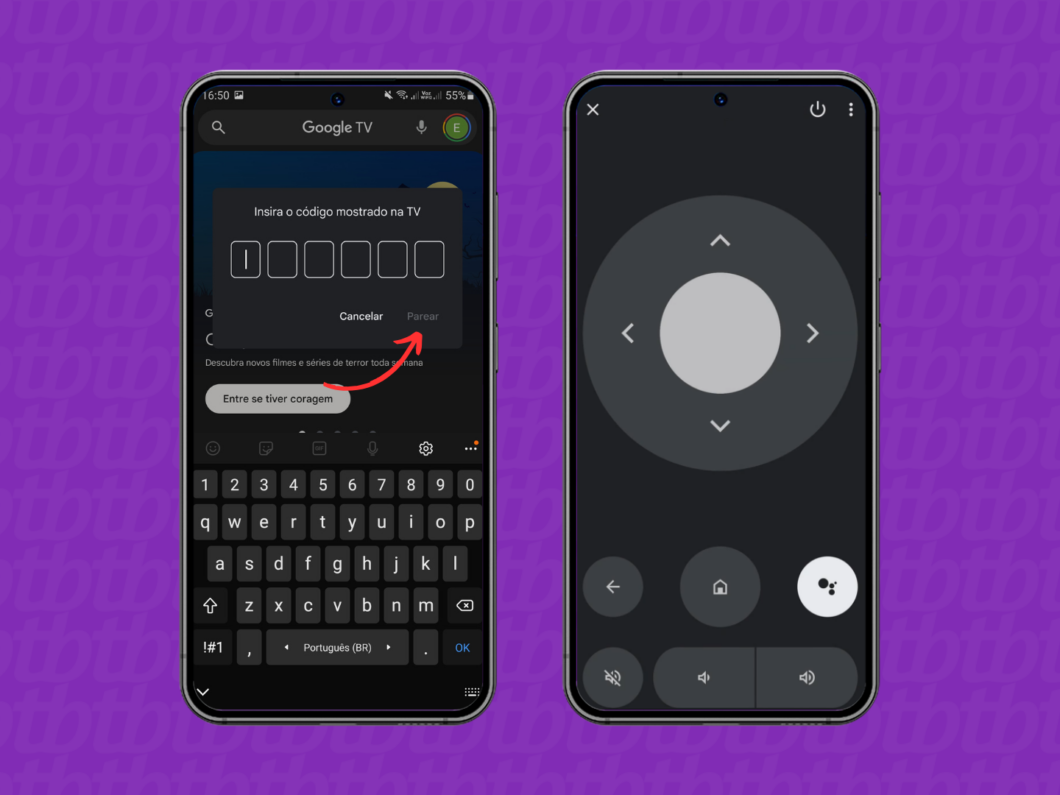
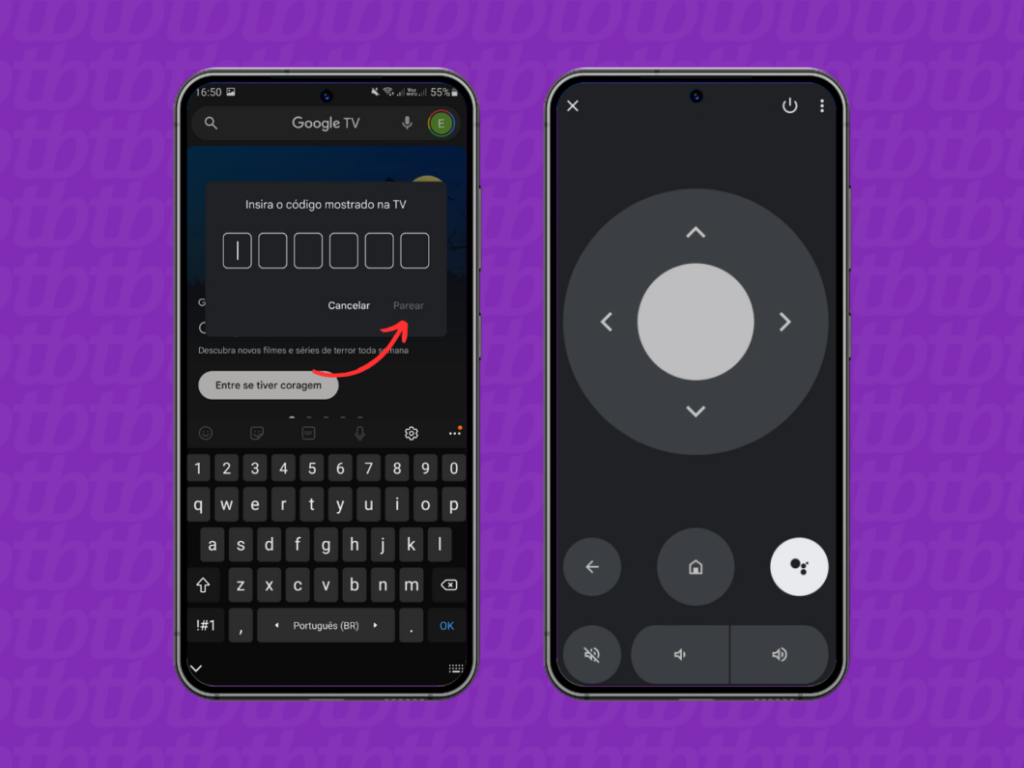
- Follow the in-app instructions to discover and pair devices
- Configure rooms, groups, and routines for streamlined control
- Test connectivity and adjust settings as needed
Troubleshooting Common Setup Issues 🔍
If your device isn’t responding to commands, first verify that you’re within range—typically 30 feet for IR and unlimited for Wi-Fi (within your network). For IR controls, ensure nothing is blocking the line of sight between your phone and the device.
Device compatibility issues can usually be resolved by updating both your app and your device’s firmware. If a specific brand isn’t recognized, try using the app’s learning mode to manually teach it the commands from your original remote.
Advanced Features That Enhance Your Experience ⚡
Modern remote control apps offer far more than basic button pressing. These advanced capabilities can significantly improve how you interact with your devices.
Macro Commands and Automation
Macros allow you to execute multiple commands with a single tap. For example, create a “Movie Night” macro that dims the lights, turns on your TV, switches to your streaming device, and adjusts the sound system to your preferred volume—all simultaneously.
This feature transforms tedious multi-step processes into instant actions, making your smart home truly intelligent and responsive to your lifestyle.
Voice Control Integration 🎤
Many apps integrate with voice assistants like Google Assistant, Amazon Alexa, or Siri. This hands-free control is particularly convenient when you’re cooking, exercising, or simply want to adjust settings without reaching for your phone.
Commands like “turn on the living room TV” or “set air conditioner to 72 degrees” make controlling your environment feel futuristic and effortless.
Widget and Lock Screen Access
Quick-access widgets place your most-used controls directly on your home screen or lock screen. Adjust volume, change channels, or control playback without even unlocking your phone or opening the full app.
Controlling Different Types of Devices 📺
Different device categories may require specific approaches or apps for optimal functionality.
Television and Streaming Devices
Smart TVs typically work best with their manufacturer’s dedicated app (Samsung SmartThings, LG ThinQ, etc.), which often provides access to additional features beyond standard remote functions, like screen mirroring and content browsing.
For streaming devices like Roku, Apple TV, or Amazon Fire Stick, official apps offer the most comprehensive control, including keyboard input for easier searching—a major advantage over traditional remotes.
Air Conditioners and Climate Control ❄️
Climate control through your smartphone offers precision and convenience. Many universal remote apps include dedicated AC modes with temperature displays, fan speed controls, and timer functions.
Smart air conditioners connected via Wi-Fi provide even greater functionality, allowing you to adjust settings remotely before arriving home, monitor energy usage, and create temperature schedules.
Audio Systems and Speakers
Whether controlling a traditional stereo system via IR or modern wireless speakers through Wi-Fi/Bluetooth, smartphone apps offer superior navigation compared to physical remotes. Browse music libraries, adjust equalizer settings, and manage multi-room audio with intuitive touchscreen interfaces.
Privacy and Security Considerations 🔒
While remote control apps are generally safe, it’s important to understand the permissions they request and how your data is used.
Most apps require network access to function properly. Wi-Fi-based apps need this to communicate with devices, while some IR apps use it for downloading device databases and updates. However, be cautious with apps requesting excessive permissions unrelated to their core functionality.
For smart home apps that connect to the internet, ensure you’re using strong Wi-Fi passwords and keeping your router firmware updated. Many smart devices have default passwords that should be changed immediately to prevent unauthorized access.
Stick to reputable apps from known developers with positive reviews and regular updates. Avoid obscure apps with few downloads, as they may pose security risks or contain malware.
The Future of Smartphone Remote Control Technology 🚀
As technology evolves, the line between physical remotes and smartphone apps continues to blur. Emerging trends point toward even greater integration and intelligence.
Artificial intelligence is making remote control apps smarter, learning your preferences and automatically adjusting settings based on time of day, room occupancy, or even weather conditions. Predictive controls may soon anticipate your needs before you even reach for your phone.
Matter Protocol and Universal Compatibility
The Matter smart home standard, backed by major tech companies, promises to eliminate compatibility headaches. Once widely adopted, a single app could control virtually any smart device regardless of manufacturer, making the smartphone remote control experience truly universal.
Haptic Feedback and Gesture Controls
Advanced haptic feedback systems are being developed to provide tactile responses that mimic physical buttons, addressing one common complaint about touchscreen remotes. Gesture controls using your phone’s motion sensors may allow you to wave your phone to adjust volume or swipe through channels.
Maximizing Battery Life While Using Remote Apps 🔋
Remote control apps can drain your battery faster than usual, especially IR-based applications that frequently activate the IR blaster.
To optimize battery performance, close the app completely when not in use rather than leaving it running in the background. Many apps offer battery-saving modes that reduce animation and limit background processes.
For Wi-Fi-based apps, disconnect from devices when you’re done using them. Maintaining constant connections, even when idle, consumes power unnecessarily.
Consider using home screen widgets only for your most frequently used controls, as each widget requires system resources and background updates.
Creating the Ultimate Multi-Device Setup 🎯
For homes with multiple devices across different ecosystems, a strategic approach yields the best results.
Rather than relying on a single app, consider using specialized apps for different device categories. For example, use your TV manufacturer’s app for television control, Google Home for smart devices, and a universal IR app for older equipment.
Organize your apps into a dedicated folder on your home screen for quick access. Name it something intuitive like “Remotes” or “Controls” so you can find what you need instantly.
Create separate profiles or configurations for different rooms or use cases. This organization prevents confusion and streamlines the control experience, especially in larger homes with many devices.
When Physical Remotes Still Make Sense 🎮
Despite the convenience of smartphone apps, traditional remotes aren’t obsolete. There are situations where physical controls remain preferable.
For elderly family members or young children, dedicated remotes with clearly labeled buttons offer simplicity that touchscreen apps can’t match. The tactile feedback and visual clarity of physical buttons reduce confusion and learning curves.
In shared living spaces, having a dedicated remote ensures anyone can control devices without needing to borrow someone’s phone. Guests can adjust the TV without asking for permission or navigating unfamiliar apps.
Battery reliability also favors traditional remotes—they can last months or years on a single set of batteries, while smartphones need daily charging.
Embracing the Convenience of Consolidated Control ✨
Transforming your smartphone into a universal remote control represents more than just technological convenience—it’s about simplifying your daily interactions with technology and reclaiming valuable space in your home.
The elimination of remote clutter, combined with enhanced functionality and customization options, makes this transition worthwhile for most users. Whether you’re controlling a single TV or managing an entire smart home ecosystem, your smartphone offers unprecedented flexibility and power.
As apps continue to improve and smart home standards evolve, the capabilities of smartphone remote controls will only expand. By starting now, you’re not just adopting a convenient tool—you’re future-proofing your home entertainment and automation setup for years to come.
The best approach is to start small: download a highly-rated app, connect one or two devices, and gradually expand as you become comfortable with the technology. Before long, you’ll wonder how you ever managed with a coffee table full of confusing remotes. Your smartphone is ready—all it needs is the right app to unlock its potential as the ultimate universal remote control. 🌐
