
Anúncios
Boost Your Smartphone’s Audio Power Beyond Factory Limits
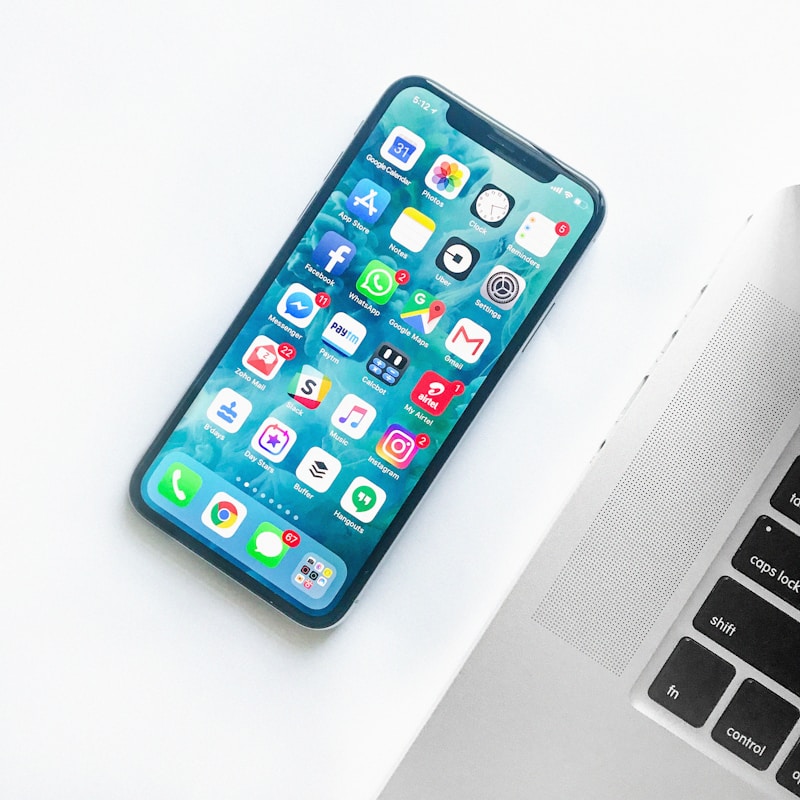
Maximize Audio Now
Have you ever found yourself struggling to hear your favorite song, podcast, or video on your smartphone, even with the volume cranked up to maximum? You’re not alone. Many smartphone manufacturers implement volume limits to protect speakers and comply with hearing safety regulations, but these restrictions can be frustrating when you genuinely need more audio power.
Fortunately, there’s a solution that doesn’t require expensive external speakers or headphones. Specialized volume booster applications can safely push your device’s audio output beyond its default limits, giving you the extra decibels you need in noisy environments or when sharing content with friends. Let’s explore the best options available and how to use them responsibly. 🔊
Anúncios
Why Smartphones Have Volume Limitations in the First Place
Before diving into solutions, it’s important to understand why your phone doesn’t allow maximum volume from the factory. Manufacturers implement these restrictions for several legitimate reasons that balance performance, safety, and hardware longevity.
The primary concern is hearing protection. Prolonged exposure to sounds above 85 decibels can cause permanent hearing damage, and many countries have regulations requiring electronic devices to limit maximum output, especially when using headphones. The European Union, for instance, mandates strict volume caps on personal audio devices.
Anúncios
Speaker protection is another critical factor. Smartphone speakers are incredibly small and delicate components. Pushing them beyond their designed capacity can cause distortion, reduce sound quality, and potentially damage the hardware permanently. The volume ceiling acts as a safeguard against users inadvertently destroying their device’s audio capabilities.
Battery consumption also plays a role. Higher volume levels require more power, which drains your battery faster. Manufacturers optimize default settings to balance audio performance with overall device efficiency.
Understanding How Volume Booster Apps Actually Work
Volume enhancement applications use several technical approaches to amplify your smartphone’s audio output. These methods work differently depending on your device’s operating system and hardware capabilities.
Most apps function by manipulating the software audio mixer, which controls how sound is processed before reaching your speakers. They essentially override the system’s default maximum threshold, allowing the audio signal to reach higher amplitudes. Some sophisticated apps also employ digital signal processing (DSP) techniques to enhance specific frequencies without causing excessive distortion.
Another common method involves adjusting the gain levels across different audio streams. Android and iOS handle multiple audio channels separately—media, ringtones, notifications, alarms, and voice calls each have independent volume controls. Booster apps can target specific channels to increase output where you need it most.
It’s worth noting that these applications cannot magically create audio power that doesn’t exist in your hardware. They’re working within the physical limitations of your speakers, simply accessing capabilities that are artificially restricted by default software settings. Think of it as unlocking a feature that was always there but hidden from standard user controls. ⚡
Top Volume Booster Applications for Android Devices
Android’s more open ecosystem provides developers greater access to system-level audio controls, resulting in numerous effective volume boosting options. Here are the most reliable choices based on performance, safety features, and user reviews.
Volume Booster GOODEV – The Reliable Classic
This application has maintained its reputation as one of the most dependable options for years. Its straightforward interface features a single slider that increases system volume by up to 60% above the default maximum. The app includes built-in warnings when you’re approaching potentially dangerous levels, helping prevent speaker damage.
Volume Booster GOODEV works with all audio types—music, videos, games, and voice calls. It integrates seamlessly with your system volume controls, so you don’t need to keep the app open constantly. One particularly useful feature is its preset system, allowing you to save different boost levels for various scenarios like outdoor listening versus quiet indoor environments.
Speaker Boost – Advanced Audio Enhancement
For users seeking more granular control, Speaker Boost offers professional-grade features wrapped in an accessible interface. Beyond simple volume amplification, it provides a five-band equalizer, bass booster, and virtualizer effects that enhance overall sound quality while increasing loudness.
The app’s standout feature is its intelligent analysis system that examines your specific device’s speaker capabilities and recommends optimal boost levels. This helps prevent pushing your hardware too far while still achieving noticeable improvements. Speaker Boost also includes profiles for different content types—movies, music, podcasts, and gaming—each optimized for that particular audio experience.
Precise Volume – Granular Control Specialist
If you’ve ever been frustrated by volume levels jumping too dramatically between steps, Precise Volume is your solution. This app increases the number of volume increments available, giving you much finer control over your audio levels. While its primary function isn’t boosting maximum volume, it does allow slight increases beyond standard limits.
The real value lies in its customization options. You can set different volume curves for each audio stream, adjust how physical buttons respond, and even create automated volume profiles based on time of day or connected accessories. Power users particularly appreciate its ability to set volumes by percentage rather than arbitrary steps.
iOS Options – Working Within Apple’s Restrictions
iPhone users face more limitations due to iOS’s closed ecosystem and Apple’s strict control over system-level functions. However, several workarounds and specialized apps can still improve audio output on Apple devices.
The built-in Accessibility features actually provide legitimate volume increases that many users overlook. Navigate to Settings > Accessibility > Audio/Visual and enable “Phone Noise Cancellation” along with adjusting the “Headphone Accommodations” settings. These features can amplify certain frequencies and improve overall loudness without third-party apps.
For actual volume booster applications, options like “Volume Booster & Bass Booster” and “Equalizer Fx: Bass Booster App” work primarily with media played within the app itself. They can’t universally boost system volume like Android alternatives, but they’re effective for music and video content you’re willing to play through their interfaces.
The Late Night EQ setting, found in Settings > Music > EQ, is another underutilized trick. While designed to balance audio dynamics during quiet listening, it effectively increases perceived loudness by compressing the dynamic range, making quieter sounds more audible without increasing peak levels. 🎵
Safety Considerations When Boosting Volume
Increasing your smartphone’s audio output beyond manufacturer recommendations comes with genuine risks that responsible users should understand and mitigate.
Protecting Your Hearing
Your ears are irreplaceable, and hearing damage is typically permanent. The World Health Organization recommends limiting exposure to 85 decibels (roughly the volume of heavy traffic) to no more than eight hours daily. For every three-decibel increase, safe exposure time cuts in half.
When using volume booster apps with headphones or earbuds, exercise particular caution. The proximity of drivers directly to your eardrums dramatically increases risk. Never boost volume to maximum with in-ear devices. If people nearby can hear your audio clearly while you’re wearing headphones, the volume is definitely too high.
Consider taking regular listening breaks—the 60/60 rule suggests listening at no more than 60% volume for no longer than 60 minutes at a time. This gives your auditory system time to recover from sustained exposure.
Preventing Hardware Damage
Smartphone speakers operate within specific parameters. Exceeding these thresholds can cause several forms of damage, from temporary distortion to permanent component failure.
Listen for warning signs that you’re pushing too hard: excessive distortion, rattling sounds, or unexpected audio cutouts all indicate your speakers are struggling. If you notice these symptoms, immediately reduce the boost level. Playing bass-heavy content at maximum boosted volumes is particularly risky for small speakers not designed to handle low frequencies at high amplitudes.
Start with modest increases—perhaps 10-20% above normal maximum—and evaluate the results. You may find that even small boosts provide the clarity you need without introducing quality problems or risk. Remember, more isn’t always better when it comes to audio enhancement. 🛡️
Optimizing Results Beyond Just Volume
Sometimes perceived loudness issues stem not from insufficient maximum volume but from poor audio quality, environmental factors, or suboptimal settings. Addressing these elements can improve your listening experience as effectively as volume boosting.
Environmental Acoustics Matter
Your surroundings dramatically affect how you perceive sound. Hard surfaces like tile, glass, and concrete reflect audio waves, potentially creating echoes and muddying clarity. Soft materials like carpets, curtains, and upholstered furniture absorb sound, reducing perceived volume.
When playing audio through your phone’s speakers, placement makes a huge difference. Most smartphones position speakers on the bottom edge, so setting your device on soft surfaces like beds or couches actually muffles output. Try positioning your phone in a bowl or cup—the container acts as a passive amplifier by directing sound waves forward rather than letting them disperse in all directions.
Audio Format and Quality Considerations
Compressed audio files inherently have less dynamic range and perceived loudness than high-quality formats. If you’re frequently struggling with volume, check the bitrate of your media. Streaming services often default to lower quality settings to conserve data, which can make audio seem quieter and less impactful.
Most music streaming platforms offer quality settings in their preferences. Spotify, Apple Music, YouTube Music, and others provide high-quality streaming options (typically 320kbps or higher for MP3, or lossless formats like FLAC). The difference in perceived volume and clarity between low and high bitrates is substantial, sometimes eliminating the need for artificial boosting entirely.
Alternative Solutions Worth Considering
While volume booster apps effectively address immediate needs, several hardware alternatives provide superior results for users who frequently require extra audio power.
Portable Bluetooth speakers have become remarkably affordable and compact. Many pocket-sized options deliver audio quality and volume that far exceeds any smartphone speaker, regardless of software modifications. Models with passive radiators or dedicated subwoofers provide bass response that tiny phone speakers simply cannot reproduce, enhancing overall listening satisfaction beyond just loudness.
For personal listening, quality headphones or earbuds are transformative. Even budget options from reputable manufacturers provide clearer, louder, and more detailed audio than maxed-out phone speakers. Over-ear headphones with larger drivers inherently produce more volume with less distortion, making them ideal for users who regularly need high audio levels.
External amplifiers designed specifically for smartphones represent a middle ground between software solutions and full speaker systems. These small devices connect via headphone jack or USB-C, providing genuine amplification that doesn’t stress your phone’s internal components. They’re particularly popular among audiophiles who use high-impedance headphones that standard smartphone amplifiers can’t adequately drive. 🎧
Troubleshooting Common Volume Booster Issues
Even the best applications occasionally encounter problems. Understanding common issues and their solutions helps you maintain consistent performance.
App Doesn’t Seem to Work
Several factors can prevent volume boosters from functioning properly. First, verify that your device hasn’t automatically reverted the app’s permissions. Android’s background optimization features sometimes restrict apps’ ability to modify system settings, effectively disabling their functionality.
Check whether your phone has a dedicated “volume limiter” setting in its native sound controls. Some manufacturers implement hardware-level restrictions that software apps cannot override. Samsung devices, for instance, include a “Volume Limit” feature in Settings > Sounds and Vibration that must be disabled for booster apps to work effectively.
System updates occasionally reset audio configurations or introduce new security restrictions. After major OS updates, you may need to reinstall volume booster apps or reconfigure their permissions to restore functionality.
Distortion and Audio Quality Problems
If you’re experiencing crackling, popping, or general distortion after implementing a volume boost, you’ve likely exceeded your speakers’ clean output capabilities. The solution is straightforward: reduce the boost level incrementally until the distortion disappears.
Some apps offer “overdrive protection” or “smart boost” features that automatically limit amplification when distortion is detected. Enable these options if available. Additionally, try adjusting equalizer settings to reduce bass frequencies, which typically cause distortion at high volumes on small speakers more readily than midrange and treble frequencies.
Making Volume Boosts Permanent and Convenient
Constantly opening an app to adjust volume before listening to content quickly becomes tedious. Fortunately, most quality booster applications include features that streamline this process.
Widget support allows you to place volume controls directly on your home screen, providing one-tap access to boost levels without opening the full application. This convenience makes it practical to adjust settings quickly based on your immediate environment.
Automated profiles represent the ultimate convenience. Configure your booster app to automatically apply specific volume levels based on triggers like connected Bluetooth devices, time of day, or even geographic location. For example, you might set a modest boost for morning alarm sounds, a stronger boost for outdoor music listening during your commute, and standard levels for evening podcast listening.
Quick settings tiles integration (on Android) or Control Center shortcuts (on iOS where available) provide system-level access to volume boost controls, making adjustments as convenient as changing screen brightness or toggling airplane mode. ⚙️
The Future of Smartphone Audio Enhancement
As smartphone technology evolves, the relationship between software capabilities and hardware limitations continues to shift. Understanding emerging trends helps set realistic expectations for what volume boosting can accomplish.
Computational audio processing is becoming increasingly sophisticated. Modern smartphones leverage machine learning to analyze audio content in real-time, dynamically adjusting equalization, compression, and spatial effects to maximize perceived loudness and clarity without simply increasing raw volume. These intelligent enhancements often prove more effective than brute-force amplification.
Multiple speaker arrays are becoming standard even on mid-range devices. Stereo speaker configurations with dedicated tweeters and woofers allow for higher quality audio at increased volumes, reducing reliance on software boosters. Premium flagship phones now rival small portable speakers in output capability.
Regulatory environments may also shift. As awareness of hearing health grows, particularly among younger generations exposed to high audio levels from an early age, we might see manufacturers implementing more sophisticated volume management systems that balance user control with health protections.
Practical Usage Scenarios and Recommendations
Different situations call for different approaches to volume enhancement. Tailoring your strategy to specific use cases ensures optimal results.
For outdoor gatherings where you’re sharing music with friends, moderate volume boosting (20-30% increase) combined with strategic phone placement typically provides sufficient improvement. Remember that outdoor environments lack reflective surfaces that help project sound indoors, so expectations should be adjusted accordingly.
When using navigation apps while driving, safety dictates that voice directions must be clearly audible over road noise and music. Most quality booster apps allow you to specifically increase navigation audio without affecting media volume, ensuring you never miss a turn without blasting your ears during music playback.
For video content with inconsistent audio levels—common with user-generated content on platforms like YouTube—volume boosters combined with dynamic range compression provide more consistent listening experiences. You won’t need to constantly adjust volume as scenes change from quiet dialogue to loud action sequences.
Late-night viewing presents unique challenges when you need sufficient volume to hear dialogue clearly without disturbing others. Rather than boosting overall volume, try enhancing midrange frequencies where human speech resides while reducing bass that travels through walls. Many booster apps include night mode presets specifically designed for this scenario. 🌙

Final Thoughts on Responsible Audio Enhancement
Volume booster applications serve a legitimate purpose when used thoughtfully. They address genuine limitations in smartphone design, providing flexibility that manufacturers intentionally restrict for various reasons. The key to successful implementation lies in understanding both the capabilities and limitations of these tools.
Approach volume boosting as a targeted solution for specific situations rather than a permanent modification you apply universally. Your ears and your phone’s speakers will thank you for this measured approach. Start with conservative increases, monitor for quality degradation, and always prioritize hearing safety over marginal volume gains.
Remember that technology should enhance your life without creating new problems. If you consistently find your smartphone’s audio insufficient for your needs, consider whether a hardware upgrade—whether a new device with better speakers or quality external audio accessories—might provide a more satisfactory long-term solution than perpetually pushing software boundaries.
With the right application, sensible settings, and awareness of limitations, you can safely enjoy louder, clearer audio from your smartphone without compromise. The tools exist to unlock your device’s full potential—use them wisely, and your mobile listening experience will improve dramatically. 🎶
